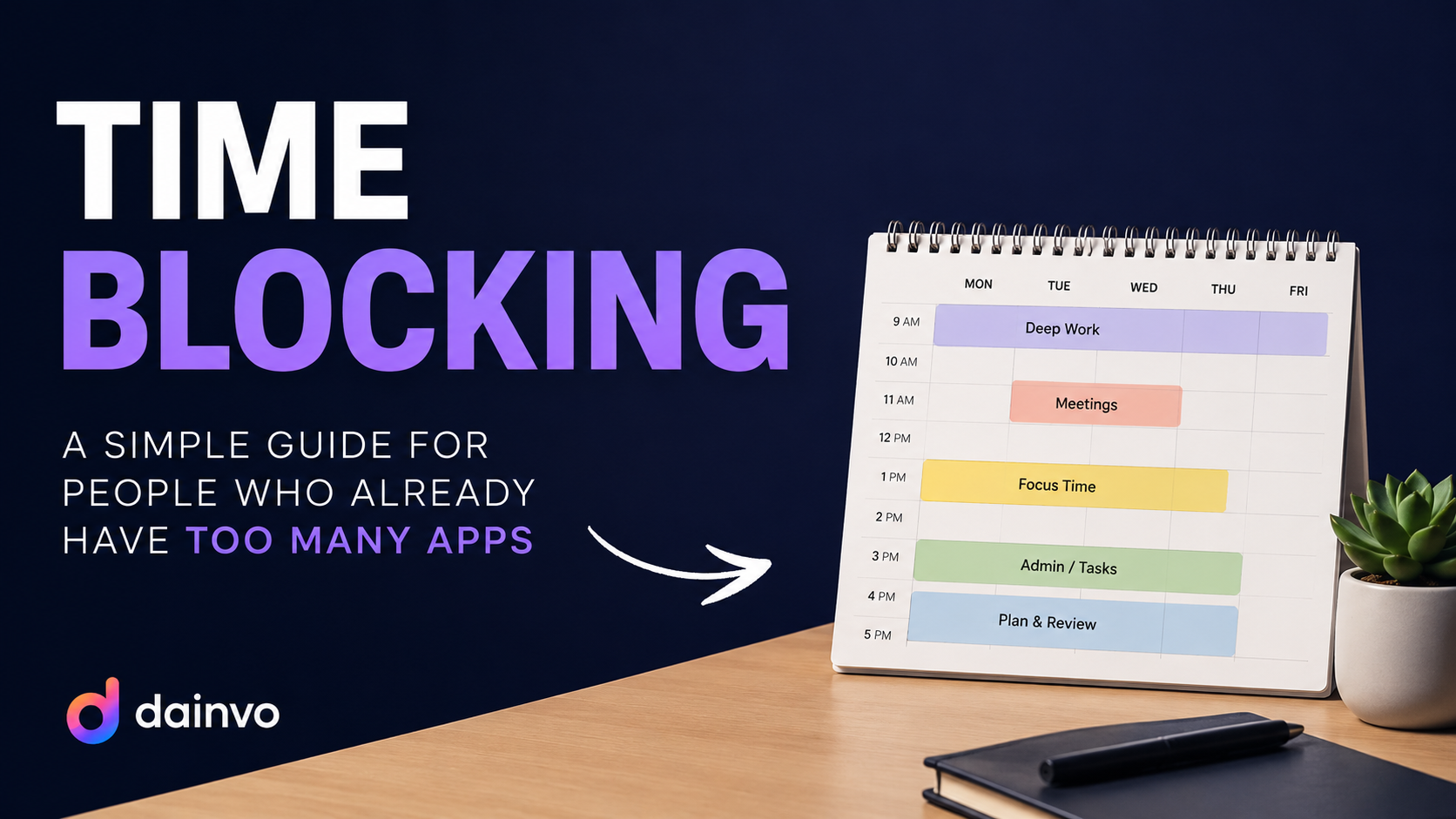
A founder blocks ninety minutes for investor updates. Inside that block are three tasks, a spreadsheet, and meeting notes. A normal event hides the pieces. A Dainvo bucket can keep the block, tasks, and file links together. That is the practical reason people search for time blocking guide. They are not looking for another productivity slogan. They want to open the app in the morning and understand what is actually possible.
Quick answer
A good time blocking app should show booked time, open work, and the next realistic action in one place. Dainvo is built for that daily planning moment. It does not ask you to abandon calendar events, task lists, notes, and local project files. It gives your work a daily planning view where tasks, meetings, notes, buckets, and files can be arranged around real time.
This matters most for people who want time blocks without a full system migration. It matters less for people who want the app to decide every slot automatically. Dainvo is not for every checklist. It is for days where time, tasks, meetings, and notes all collide.
Why separate calendars and task lists break down
Separate tools are not the enemy. Most people already use decent software. The problem is that each tool sees only part of the day. A calendar can be full while the task list still looks urgent. A task manager can look tidy while the calendar has no room left. Notes can hold the reason behind the work, but they rarely show whether the work has time.
That split creates small failures. You accept a meeting because the calendar shows a gap, then realize that gap was the only time available for a deadline. You add a task because it feels important, then never choose when it will happen. You open a meeting link on time, but the prep file is buried in a folder you have to search for.
Dainvo helps because it gives those tools one daily view instead of another inbox to maintain. The calendar keeps fixed commitments visible. Task blocks show planned work. Buckets reserve time for groups of related tasks. Daily notes and local file links keep context near the block where it belongs.
How other planners approach this
Most planning apps in this category tend to make one of a few promises. Sunsama, Morgen, Akiflow, Ellie, and Motion usually focus on comparisons, connected apps, pricing, and planning methods. That makes sense. People want to know which app fits their day, which tools it works with, and whether the way of working will hold up once the week gets busy.
Some tools lean into automation. That can be useful when the rules are clean and the user wants the calendar to move on its own. Some tools lean into guided planning rituals. That can help if the user needs a daily reset. Others focus on lightweight task planning, which is great until the calendar and meeting context become too important to ignore.
Dainvo is strongest when the story stays concrete. The best argument is not that it is more magical. It is that the app shows the pieces of the day together: calendars, tasks, meetings, notes, buckets, and files. That is easier for a reader to believe and easier for a user to try.
How to use Dainvo for this way of working
Start with the calendar because fixed time sets the shape of the day. Look at meetings, appointments, family plans, travel, and deadlines before choosing tasks. Then review the tasks that came from your connected apps or Dainvo itself. Do not schedule everything. Pick the work that needs protected time.
If one task needs a block, schedule it as a task block. If several tasks belong to the same project push, create a bucket and put them together. If the work depends on a local file or folder, link it to the bucket so you are not searching when the block starts. If a meeting needs preparation, add the preparation before the meeting, not after you are already late.
The point is to make the plan visible enough that you can defend it. When a new meeting request appears, you can see what it would displace. When a task feels urgent, you can check whether it has a real place today. When a block starts, you can open the note, meeting link, or file without wandering through the rest of your stack.
What to look for in a planning app
The best app for this search should pass a few practical tests.
- Can it show more than one calendar without forcing you to merge accounts?
- Can it bring tasks into the planning surface without turning every task into a fake calendar event?
- Can it separate fixed events, scheduled task blocks, and grouped work?
- Can it keep meeting links and notes close to the calendar item?
- Can it work on desktop without feeling slow every time you check the day?
- Can it clearly show what works now and what is coming later?
Dainvo is built around those questions. It is not the only good answer in the market, but it is a strong answer for people who want control and context in the same place.
Example day
Imagine someone with too many productivity apps opening Dainvo at 8:45. The calendar already shows fixed commitments. The task list shows work from connected tools. A meeting has the right join action. A project block has local files attached. There is weather on the day view, which matters if the afternoon includes travel. The user does not need to rebuild the system. They only need to decide what fits.
That decision is the job. Not collecting tasks forever. Not polishing the calendar until it looks impressive. Just choosing the work that deserves time and keeping the context close enough to start.
Where Dainvo is not the right fit
Dainvo is probably too much if you only need a lightweight checklist. It is also not the right pitch for someone who wants a fully automatic AI scheduler to move the calendar all day. Those users should look at tools that are built around automation.
Dainvo is a better fit when the user wants to stay involved in the plan. It helps with visibility, not abdication. You still choose what matters. The app makes that choice less scattered.
What works in Dainvo today
You can use Dainvo today with Google Calendar, Outlook and Microsoft Calendar, Apple Calendar through iCloud, internet calendars, Google Tasks, Microsoft To Do, Todoist, TickTick, Obsidian, Google Meet, Microsoft Teams, Zoom, Webex, flagged Outlook email, weather, calendar imports and exports, and local file or folder links for buckets.
Some other connections, including Gmail, Apple Reminders, Asana, ClickUp, Linear, Notion, GitHub, Zapier, Slack, Trello, Jira, Dropbox, Google Drive, and similar tools, are still upcoming unless the Dainvo app shows them as ready.
FAQ
Is Dainvo replacing my current tools?
No. Dainvo works best as the daily planning layer across tools you already use. You can keep using your calendar, task app, meeting tools, notes, and local files while using Dainvo to decide what happens today.
Does scheduling a task change the original due date?
Not by default. Dainvo treats planned work time separately from due dates when that distinction matters. Your task can keep its original due date while you reserve real time for the work on your calendar.
Is this only for work?
No. The same pattern works for school, family planning, freelance work, personal admin, and side projects. Any situation with calendars and tasks can benefit from seeing time and work together.
Where can I learn more?
Start with the Dainvo integrations page, downloads page, pricing page, and resource index. If you are comparing a specific connection, check the matching help page too.
Try Dainvo
Dainvo is for people who want the calendar, task list, meetings, notes, and files close enough to make a real plan. Start with the free version, connect the tools you already use, and plan the next workday from one desktop workspace.